Browser port
Guitar Hero Browser Edition
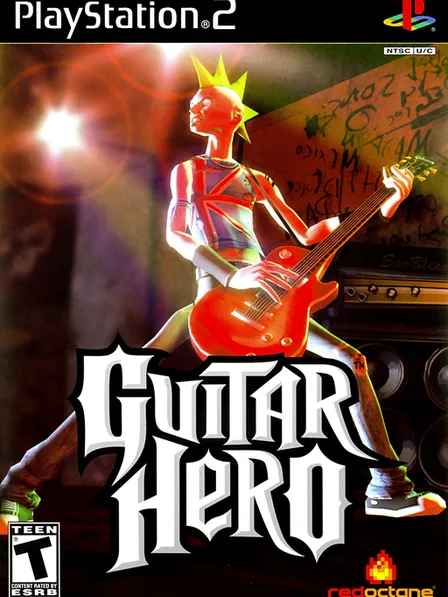
Guitar Hero is a game you can play in your web browser, with nothing to install.
At our last check on November 4, 2026, the game's link was working.
About Guitar Hero
Guitar Hero Browser Edition is a fan-made web version of Guitar Hero III: Legends of Rock that runs in a browser tab. Press Play and the game opens on lasvegasherogame.com in a new tab, with nothing to install. It is an unofficial fan project, not a release from Activision.
Guitar Hero III: Legends of Rock came out in 2007. It was developed by Neversoft and published by Activision, and it is the best-selling game in the series. The browser version keeps the note highway you know: hit the colored notes as they reach the bottom of the screen while you strum.
- Based on
- Guitar Hero III: Legends of Rock (2007)
- Original developer
- Neversoft
- Publisher
- Activision
- This build
- Fan-made browser version (lasvegasherogame.com)
- Host site language
- Spanish
- Keyboard
- Frets A, S, D, F, G · strum with the arrow keys · Space for star power
- Controller
- Xbox or PlayStation gamepad
Project summary
Guitar Hero is a browser port: it runs the original game in a web browser tab, with nothing to install. Its link was responding when we last checked on November 4, 2026.
Guitar Hero at a glance
- Type
- Browser port
- Original platform
- Browser games
- Plays on
- Web browser (lasvegasherogame.com)
- Link status
- Working
- Last checked
- November 4, 2026
- Listed since
- October 26, 2026
Did Guitar Hero work for you?
Tell other players whether the Play link worked on your device today.
Thanks, your vote is counted.
How to play Guitar Hero
- Press Play. The game loads in our player, or on the project's own site if it can't run here.
- Use a desktop browser such as Chrome, Edge or Firefox for the best performance. The first load can take a minute because the game data downloads before it starts.
- Click inside the game window so it captures your keyboard. Most ports also accept a USB or Bluetooth controller through the browser's Gamepad API.
Tips
- Play on a desktop browser (Chrome, Edge or Firefox). Phones and tablets have no keyboard frets and struggle with the timing.
- Plugging in a gamepad? Press any button after the page loads so the browser detects it.
- The host site is in Spanish: “Jugar” means play, “Opciones” options, “Volver” back.
- If notes feel early or late, close other heavy tabs and turn on hardware acceleration in your browser settings.
If Guitar Hero will not load or runs slowly
- Refresh the page and wait for the full download bar to finish before pressing anything.
- Disable ad blockers and privacy extensions for the game's domain—they sometimes block WebAssembly.
- Enable graphics acceleration and try another browser (Chrome or Edge first).
- If only you have the problem, clear the site cache or try a private window.
- Score
- 3.00
- Last check
- 11/4/2026
- Play status
- ok
- Stars
- —
Frequently asked questions
Is Guitar Hero Browser Edition working today?
At our last check on November 4, 2026, the game's link was working.
Is Guitar Hero Browser Edition free?
Yes. It runs in your browser with no download or account on our side. It is a fan project hosted on lasvegasherogame.com.
What are the controls?
On a keyboard the frets are A, S, D, F and G, you strum with the arrow keys and Space triggers star power. An Xbox or PlayStation controller also works.
Is it the real Guitar Hero 3?
It is an unofficial fan-made browser version of Guitar Hero III: Legends of Rock. It is not made or endorsed by Activision.
Also searched as: guitar hero browser edition, guitar hero 3 browser, guitar hero 3 online, gh3 online, guitar hero online, guitar hero web, play guitar hero in browser.
New to this? How browser ports work · Fix lag in your browser